Registering Widgets via Blueprint
Registering Widgets via Blueprint
Register widgets with the tooltip system through Blueprints without modifying widget design, or register dynamic widgets for runtime tooltip management.
Basic Usage
-
Widget Registration
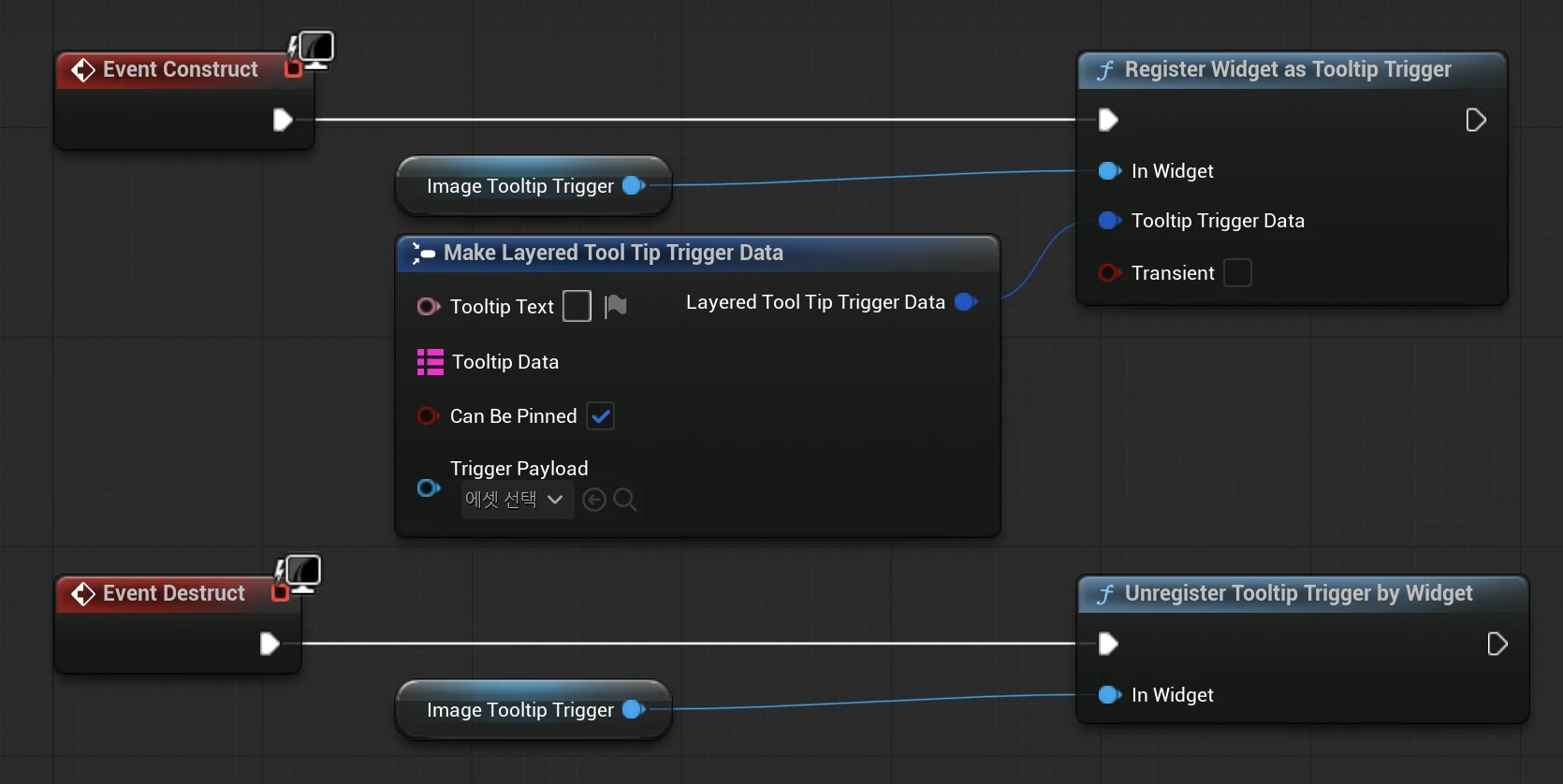
- Use the
RegisterWidgetAsTooltipTriggerfunction to register widgets. - Register specific widgets within a widget Blueprint, or register the widget itself using a Self reference.
- Widgets must be added to the layout before registration.
- Use the
-
Unregistration
- Use
UnregisterTooltipTriggerByWidgetto unregister widgets when no longer needed.
- Use
Lifecycle Management
Persistent Registration
- Registering with
bTransient = false(default) maintains registration until explicitly unregistered. - Requires manual unregistration.
Transient Registration
- Generally not required for typical use cases.
- Registering with
bTransient = truecreates volatile triggers that are automatically removed when tooltip stack levels change. - Primarily used for temporary elements within nested tooltips.
Checking Registration Status

bool bIsRegistered = ULayeredTooltipFunctionLibrary::IsRegisteredAsTooltipTrigger(MyWidget);
Related Functions
// Widget registration/unregistration
static void RegisterWidgetAsTooltipTrigger(UWidget* InWidget, const FLayeredToolTipTriggerData& TooltipTriggerData, bool bTransient = false);
static void UnregisterTooltipTriggerByWidget(UWidget* Widget);

// Check registration status
static bool IsRegisteredAsTooltipTrigger(UObject* InObject);
Important Notes
bTransient = trueis for one-time tooltips that are automatically removed when tooltip hierarchy changes.- Persistently registered widgets must be manually unregistered to prevent memory leaks.
- The tooltip system automatically detects widget visibility changes.